The Problem
Deciding “who plays next” can be a challenge. Even if you’ve tried the “paddle system”, that still doesn’t account for a player’s skill level and can lead to unbalanced match making. LittlePickle attempts to solve this through an advanced queue system, balanced match making and a little competitiveness to keep things fun
The Thought Process
-
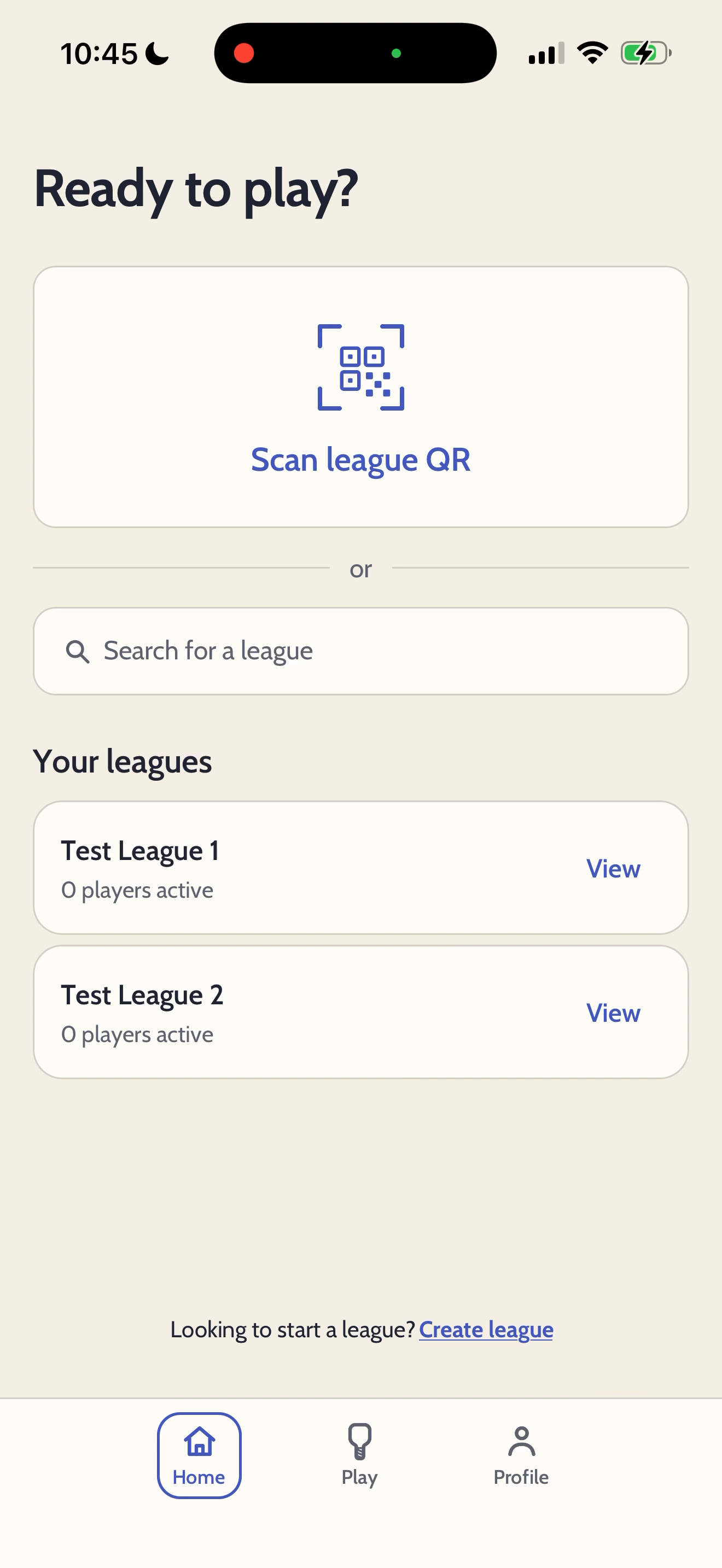
Scanning a QR code is the simplest and quickest way for anyone to join the queue. However, if the QR code is damaged, then searching for your local league is just as effective.
-
See how many players are at your local courts. When there aren't enough players for a match, LittlePickle will send a notification, letting others know you need more players. This system is also designed to keep players coming back to the app, even if they're not at the courts.
-
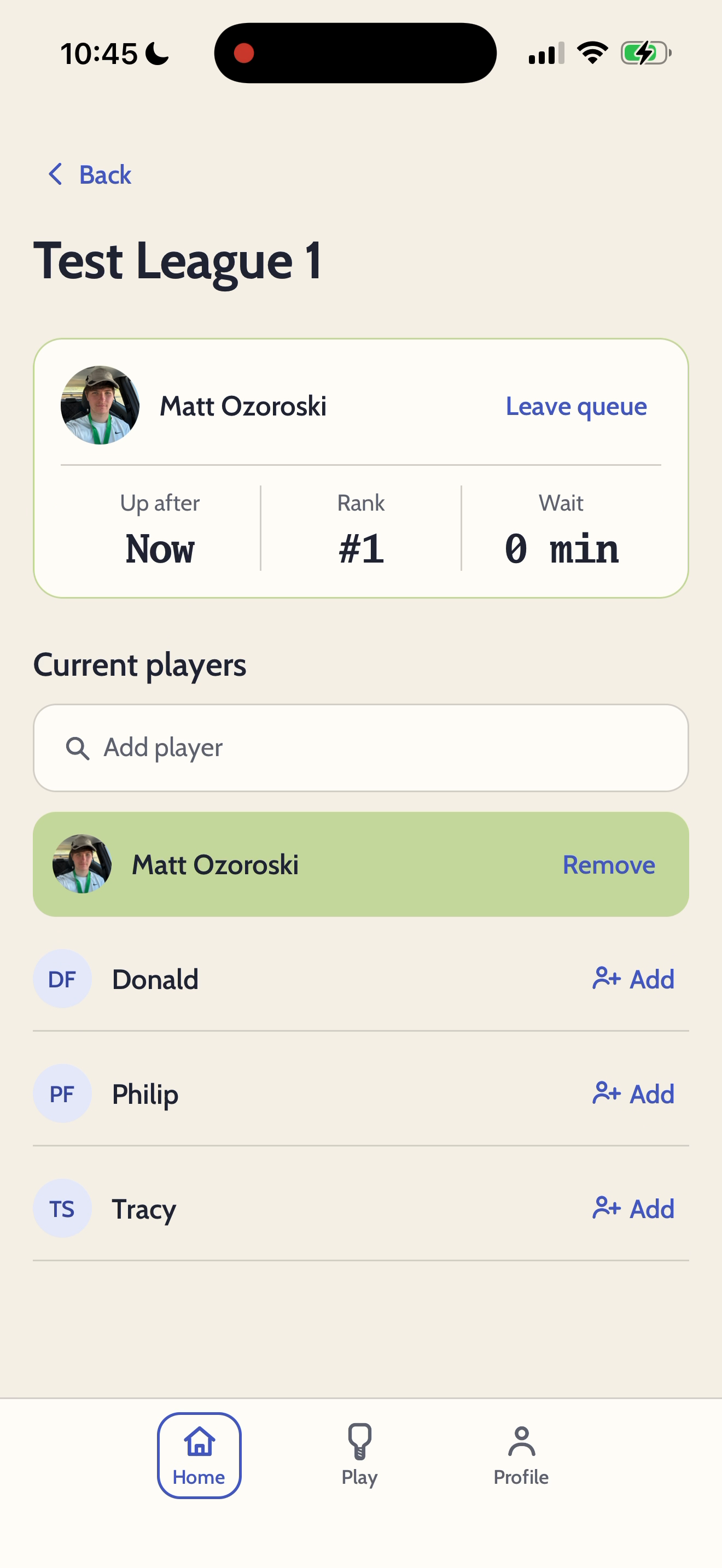
The player card shows when you're up next, a ranking and an estimated wait time. This feature encourages more users to download and use the app, even if someone else is keeping track of the matches.
-
Any player can add players to the queue. This is great for someone who doesn't have their phone and ensures someone will still use the app, even if their friends can't.
-
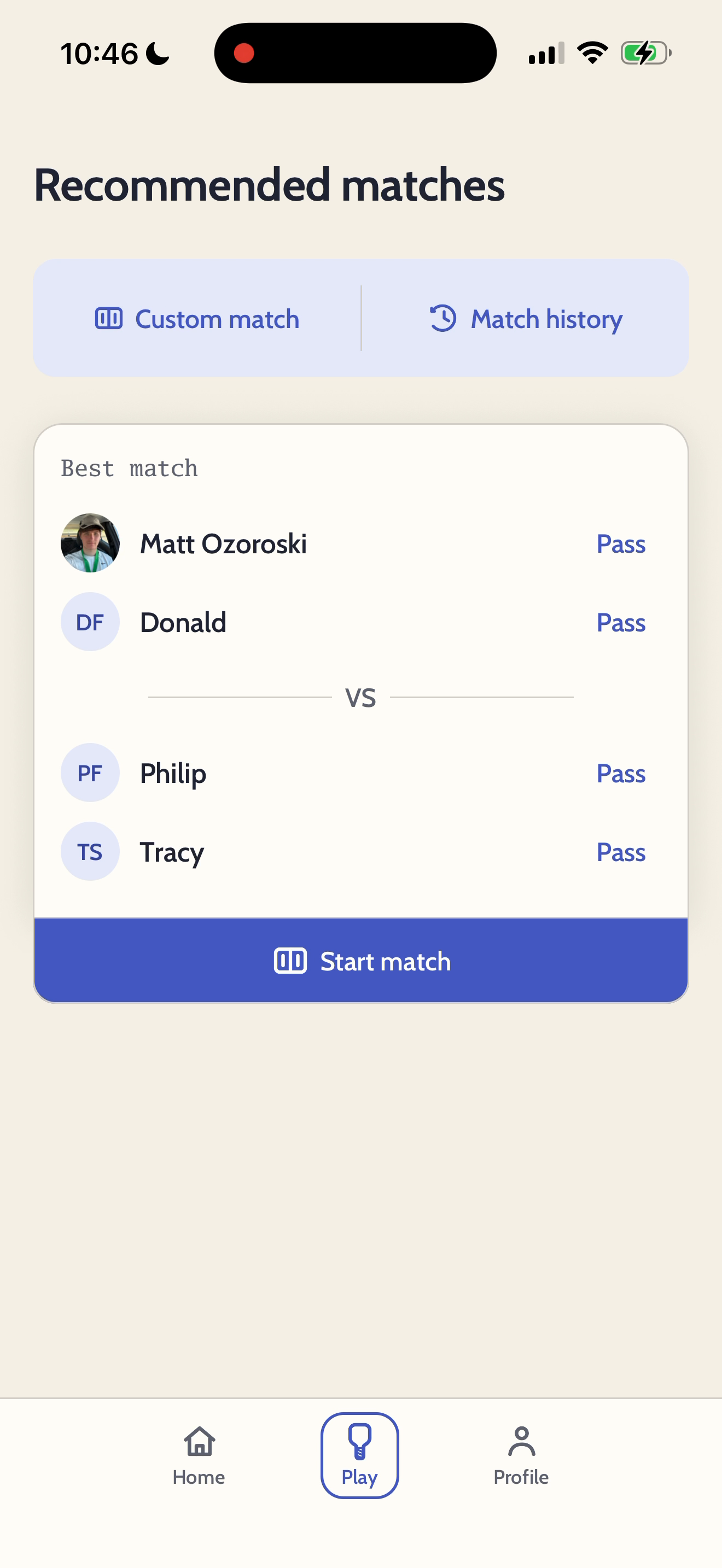
Custom match gives players the choice to come up with their own matches, while still incentivising to report the score and use the app.
-
The backend algorithm uses a FastAPI for balance match making, while also ensuring every player has an equal amount of play time. This is a core feature that users will enjoy the most, leading to players sharing and recommending LittlePickle.
-
The match history protects against any mis-clicks, allowing any player to quickly fix a score and not reach out to an admin.
-
The pass button allows players to skip their turn so they can sit out an extra match and play at their pace.
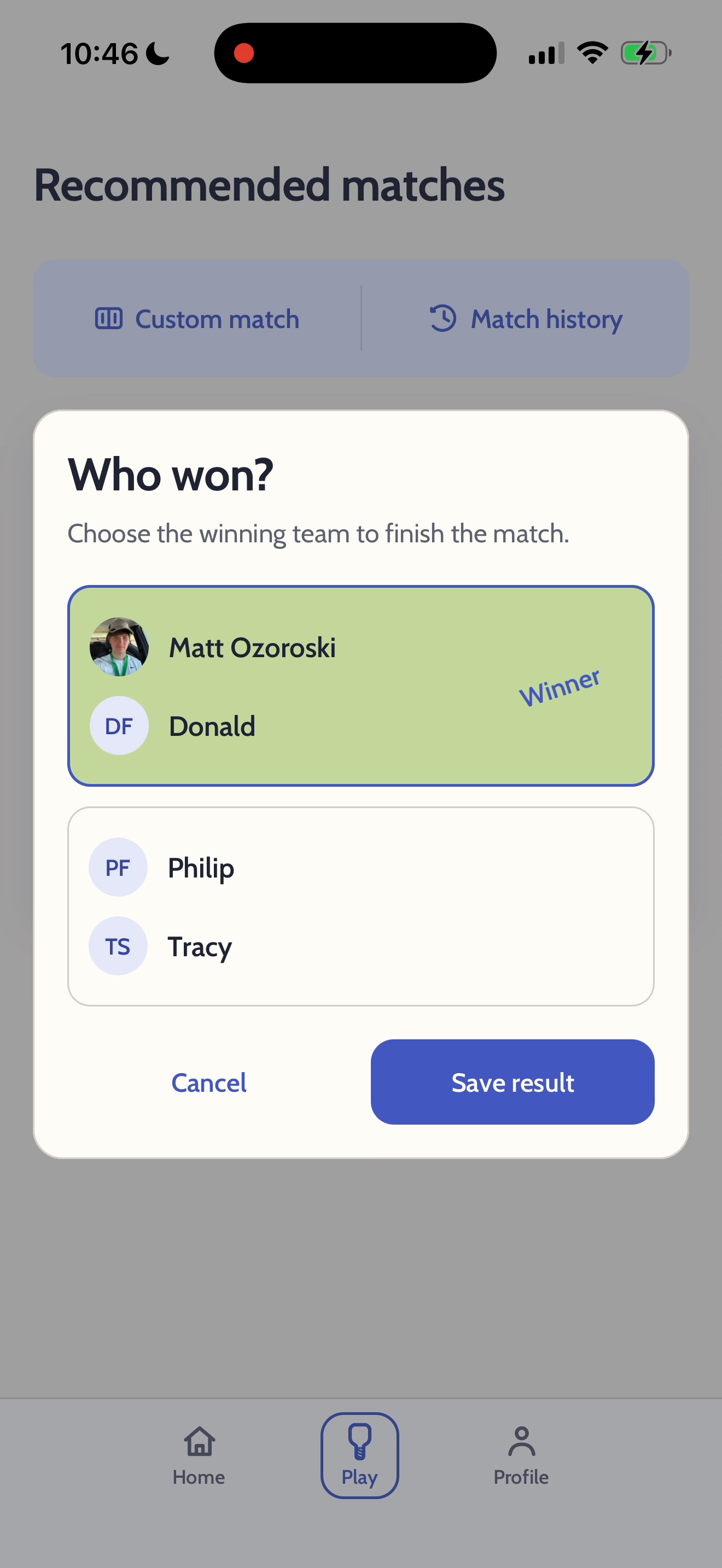
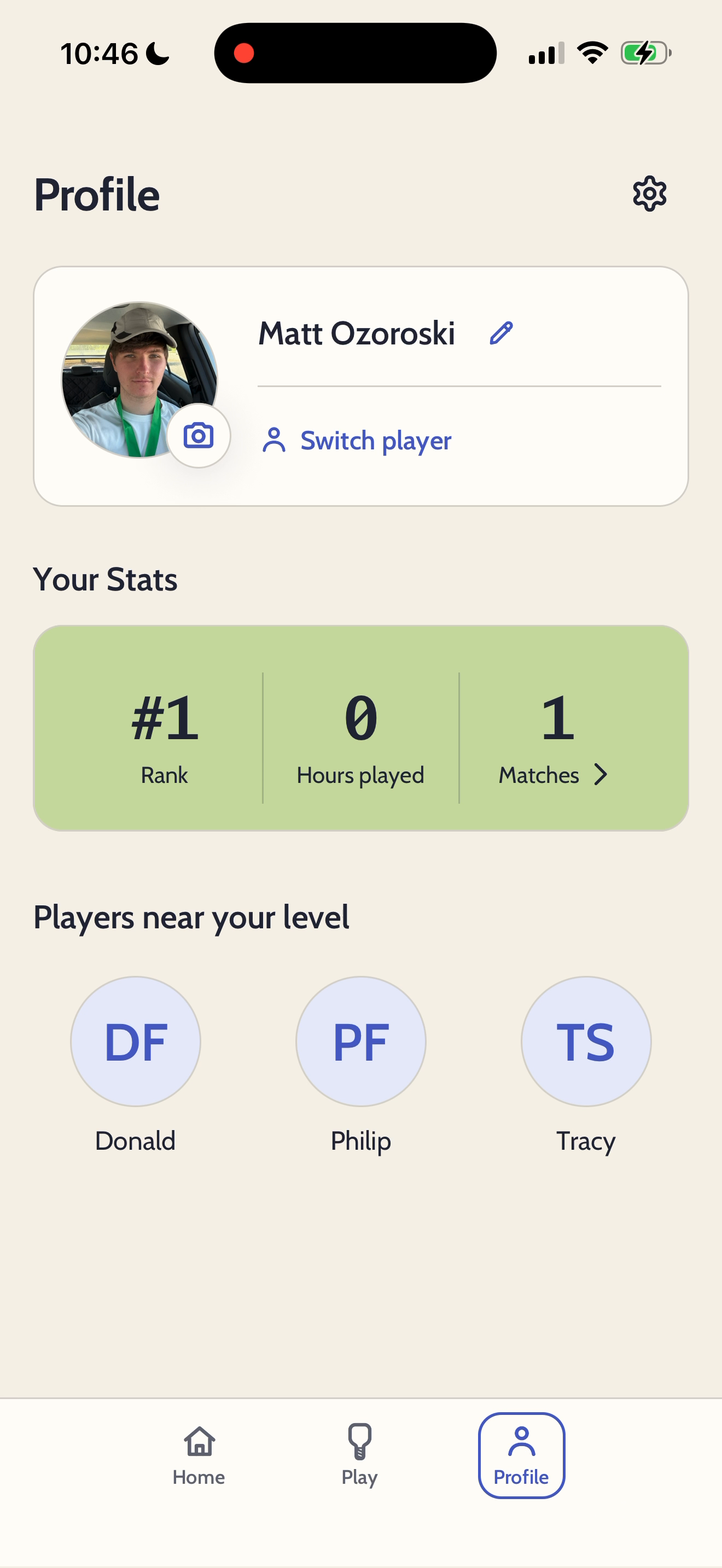
Lastly, admins can turn on “competitive” mode. This mode is turned off by default, which means players only need to report who won, rather than the actual score. This is meant to be inclusive, especially for players who prefer fun over competition. Also, players can only view their own rank and other players near their level.
The Results
Coming soon! LittlePickle just launched on iOS. Download it now: https://testflight.apple.com/join/7vy66xAg